 Mayur Bhatasana
Quick Takeaway
Fastest AI tools for graphic designing by 2026 streamline idea generation and monotonous tasks. Firefly is for professionals, Midjourney helps you explore visually, and Canva, Kittl, Relume and Khroma are for specialized needs.
Top 3 Picks at a Glance
| AI Tool | Best For |
| Adobe Firefly | Professional AI design and editing |
| Midjourney | Concept art and visual exploration |
| Canva Magic Studio | Everyday and social media design |
Editorial ratings are based on the quality of design, AI, creative controls, usability, workflow integration, and overall value. The pricing depends on geographical location and billing cycles.
Introduction
Artificial intelligence has become a tangible part of modern graphic design. Designers can now create visual concepts, remove backgrounds, create variations, explore color combinations, build wireframes and edit images with significantly less manual work.
But AI’s growth has made the choice of the right tool more complex too. Not every AI picture generator is fit for professional design. Some tools generate pretty pictures, but leave you little control over how you edit. Another may have great templates but not produce the accuracy needed for print production or brand recognition.
The most powerful AI tools for graphic designers thus solve specific stages of the creative process. Some are designed for visual ideation, others are more focused on image editing, typography, web design or color development.
Other major options for designers are Adobe Firefly, Midjourney, Canva, Kittl and specialized platforms, recent comparisons in 2026 show.
What Graphic Designers Can Actually Automate With AI
The best use of AI is to automate repetitive tasks, not to make major creative decisions.
Concept and Visual Exploration
Designers can develop a number of visual directions before deciding on a concept. This is especially useful for mood boards, campaign ideas, editorial imagery and initial client presentations.
Image Editing and Generation
AI is able to generate new images, build on existing ones, remove unwanted elements, replace backgrounds and create alternate versions of existing visuals.
Social Media and Marketing Design
AI-powered design platforms can produce a variety of formats from one creative direction. It can save you time in creating posts, banners, advertisements and promotional graphics.
Typography and Branding
Some tools focus on lettering, logo concepts, font combinations and brand graphics. They can assist designers in exploring directions before manually refining the final identity.
Website Wireframing
AI is able to take a written website concept and create an initial sitemap or wireframe. Designers can then build on top of the structure instead of building a new blank screen from scratch.
Colour Selection
AI color tools can learn your preferences and generate palettes that designers can use for branding, illustrations, interfaces and marketing campaigns.
How These AI Design Tools Were Evaluated
The six tools were evaluated for their effectiveness in actual graphic design work flows.
In its review, the site looked at design quality, creative control, AI features, editing flexibility, professional usability, integrations and pricing.
We considered whether each platform serves a different purpose too. A visual generation tool should not be evaluated on the same metrics as a wireframing platform.
This is relevant as the AI design tools are becoming more and more specialized. While some make images, others create editable graphics and yet others automate layout and color choices.
AI Design Tools Compared at a Glance
| Tool | Main Design Role | Key AI Feature | Ideal Output | Starting Price |
| Adobe Firefly | Professional AI production | Generative Fill and image/vector generation | Images, vectors, edited assets | $9.99/month |
| Midjourney | Visual exploration | AI image generation | Concepts and campaign visuals | $10/month |
| Canva Magic Studio | Everyday design | Magic Design and AI editing | Social and marketing graphics | Free |
| Kittl | Typography and branding | AI image/vector tools | Logos, posters, merchandise | Free |
| Relume AI | Web and UX planning | AI sitemap and wireframes | Website structures | Free |
| Khroma | Colour exploration | Personalised palette generation | Colour palettes | Free |
6 Best AI Tools for Graphic Designers in 2026
1. Adobe Firefly
Rating: 4.9/5
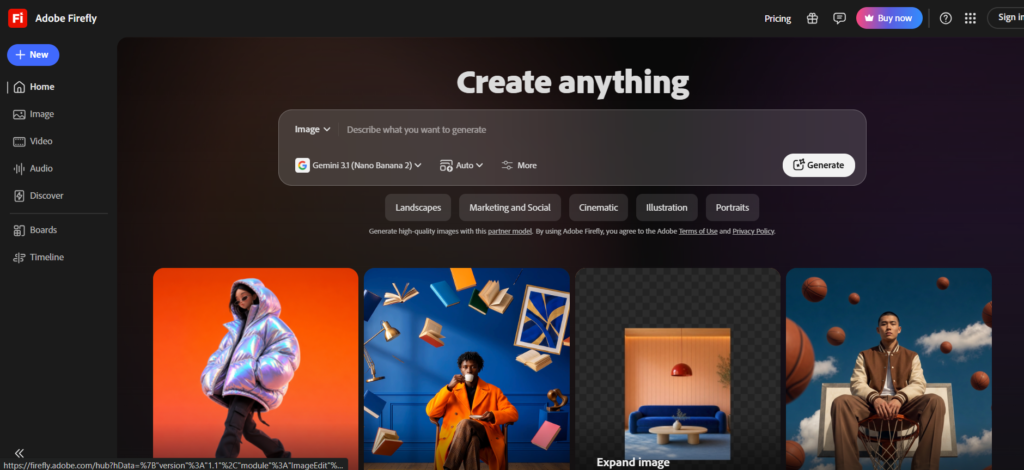
Adobe Firefly is among the most promising solutions for designers working on Photoshop, Illustrator, and other Adobe software products. The key benefit of the tool is that its AI capabilities integrate with a well-developed design environment.
Designers can use Firefly for image generation, Generative Fill, Generative Expand, text-to-vector creation, and other creative tasks. Adobe’s current Firefly plans also include access to standard image and vector generation, while higher plans add more generative credits and premium features.
For professional artificial intelligence design programs, Firefly is especially helpful since any content generated by the program can be exported to Adobe programs for editing.
Key Features
- Generative Fill and image editing
- Text-to-image generation
- Text-to-vector generation
- Adobe Creative Cloud integration
- Generative video and audio features
Pros
- Excellent professional workflow integration
- Strong editing capabilities
- Useful for image and vector work
- Familiar environment for Adobe users
- Suitable for commercial design workflows
Cons
- Best value comes with the Adobe ecosystem
- Premium AI features use generative credits
- Advanced features can become expensive for heavy users
Pricing:
- ₹599/month including GST for the first year.
- ₹733.96/month including GST after the first year.
- Annual plan, billed monthly.
- 7-day free trial.
- New subscribers only
2. Midjourney
Rating: 4.8/5
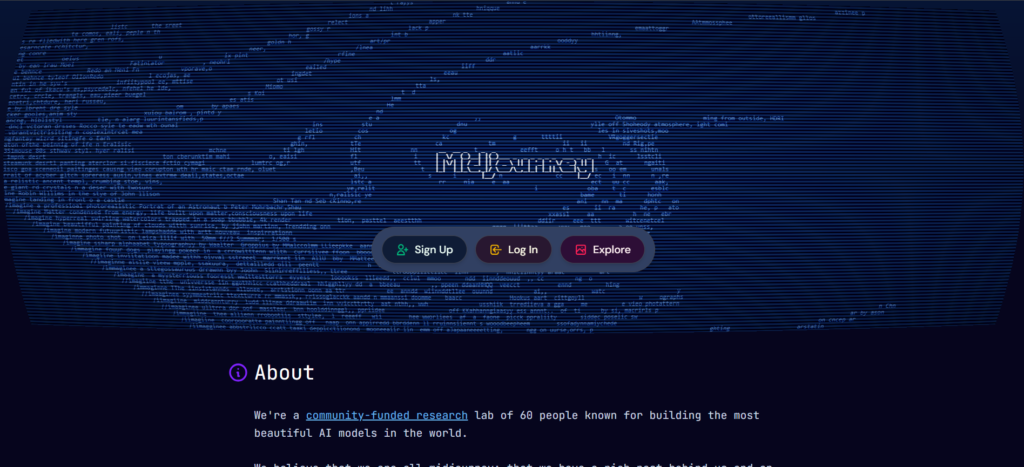
Midjourney excels in visual exploration. For designers, it can be used to develop ideas for campaigns, moodboards, editorial images, product shots, character concepts, visual stylistic direction, etc.
Its biggest strength is not final production. Instead, it works exceptionally well during the stage where a designer needs to explore several creative possibilities quickly.
Midjourney currently offers Basic, Standard, Pro, and Mega plans. The Basic plan costs $10/month, while Standard costs $30/month. Annual subscriptions receive a 20% discount.
There are four types of subscriptions offered by Midjourney at the moment which are Basic, Standard, Pro, and Mega subscriptions. Basic subscription costs $10/month while Standard is priced at $30/month.
Key Features
- High-quality image generation
- Concept development
- Style exploration
- Moodboard creation
- Creative campaign imagery
Pros
- Strong visual quality
- Excellent for ideation
- Wide creative range
- Useful for art direction
- Fast visual experimentation
Cons
- Not a complete graphic design application
- Generated assets often need additional editing
- Less suitable for precise layout work
- Paid subscription required
Pricing:
- Basic: $10/month or $96/year
- Standard: $30/month or $288/year
- Pro: $60/month or $576/year
- Mega: $120/month or $1,152/year
- Extra GPU Time: $4/hour for all plans.
3. Canva Magic Studio
Rating: 4.6/5
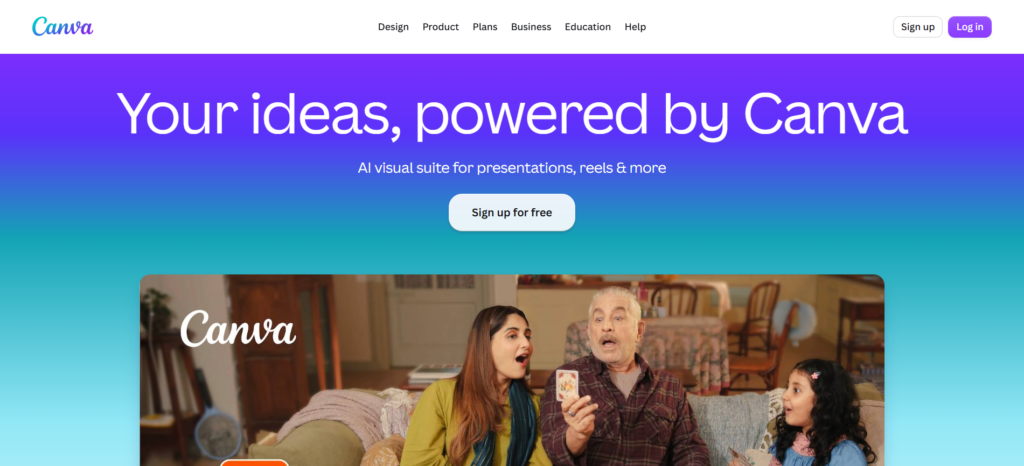
The Canva Magic Studio uses AI within a conventional drag-and-drop design approach. This function is useful for marketers, freelancers, small groups, and designers working on their designs often.
The major benefit of Canva Magic Studio is the speed of operation. Users can utilize templates, create their designs with AI assistance, edit existing designs, eliminate backgrounds, and format their resources in different formats.
Key Features
- Magic Design
- AI-assisted image editing
- Background removal
- Social media templates
- Brand and design tools
Pros
- Easy to learn
- Fast production workflow
- Strong template library
- Useful for branded content
- Excellent for teams and marketers
Cons
- Less granular control than professional Adobe tools
- Some premium features require Pro
- Not ideal for highly complex production work
- Template-based designs can look generic without refinement
Pricing:
- Free: ₹0/year
- Pro: ₹4,000/year per person
- Business: ₹6,800/year per person
- Enterprise: Custom pricing
4. Kittl
Rating: 4.5/5
Kittl is designed for creators who work heavily with typography, merchandise, posters, logos, and visual branding. Its AI features complement a broader design platform containing templates, fonts, graphics, mockups, and vector capabilities.
This makes Kittl different from a pure image generator. It gives designers a more practical environment for turning creative ideas into usable graphics.
Key Features
- AI image generation
- AI vectorisation
- Typography and lettering
- Logo and merchandise design
- Templates and mockups
Pros
- Excellent typography capabilities
- Useful for print and merchandise
- Strong template collection
- Beginner-friendly
- Vector-focused workflow
Cons
- Not a complete replacement for Adobe
- AI features consume tokens
- Some advanced features require paid plans
- Complex brand systems may need other tools
Pricing:
- Free: ₹0/month
- Pro: ₹800/month, billed annually
- Expert: ₹1,733/month, billed annually
- Max: ₹3,206/month, billed annually
5. Relume AI
Rating: 4.4/5
Relume takes AI into a different part of the design workflow. Rather than being preoccupied with imagery creation, it enables designers to develop websites via AI-generated site maps, wireframes, component library, and content structures.
Therefore, it becomes extremely useful for web designers as well as for user experience designers. This software tool can help to translate the concept which is expressed in the brief into the architecture of the website visualized.
Key Features
- AI-generated sitemaps
- Website wireframes
- Component libraries
- UX planning
- Figma and Webflow workflows
Pros
- Excellent for website planning
- Speeds up early UX work
- Strong component system
- Useful for agencies
- Helps structure client projects
Cons
- Not intended for general graphic design
- Pricing is project and plan dependent
- Requires another tool for some final production work
- Best suited to web-focused designers
Pricing:
- Free: $0/month
- Relume Starter: $18/month per person
- Relume Pro: $40/month per person
- Free Trial: Starter aur Pro plans par 7-day free trial available hai.
- Annual Billing: Yearly billing par 30% discount available hai.
6. Khroma
Rating: 4.3/5
Khroma concentrates on one of the most significant aspects of visual design: color. Rather than presenting designers with arbitrary color palettes, it uses information about preferences for colors and produces color schemes on their basis.
It can help designers when they are trying to come up with ideas regarding color palettes for brands, user interfaces, illustrations, gradients, or campaigns.
Key Features
- AI-generated colour palettes
- Personal preference training
- Colour combinations
- Gradient exploration
- Brand colour inspiration
Pros
- Simple to use
- Useful for inspiration
- Helps explore combinations quickly
- Personalised recommendations
- Useful during early branding work
Cons
- Limited compared with complete design platforms
- Does not replace professional colour management
- Designers still need accessibility checks
- Best used as a supporting tool
Pricing:
Khroma is available as a free colour exploration tool.
From First Idea to Finished Design: A Practical AI Workflow
AI functions most efficiently when it is brought in at certain stages in the design process.
Start With Visual Exploration
Begin by generating references, exploring different styles, and creating moodboards. Midjourney can be particularly useful here because it allows designers to investigate several creative directions before production.
Develop the Design
Once a direction has been selected, generate or edit supporting visual assets. Firefly can help with image modifications, while Kittl can assist with typography and graphic treatments.
Add Brand Direction
This is when the designer can use the selected colors, typography, spacing, images, and visual principles. Khroma could be used for color inspiration, but the designer must make the final choice.
Prepare the Final Asset
The final stage should include manual quality checks. Check the dimensions, resolution, typography, accessibility, branding, and exporting before finalizing your work.
Where AI Saves Designers the Most Time
Productivity is generally achieved through activities that are performed repeatedly.
Background removal can reduce several minutes of manual masking. AI-generated variations can also speed up concept exploration.
Designers can create multiple social media formats without rebuilding every layout. AI can assist with colour exploration and generate initial website wireframes from a written brief.
This is where graphic design automation becomes valuable. The goal here is not to automate the whole design process but rather the mechanical aspects of the process so that more time can be spent on strategy and optimization.
What AI Still Cannot Replace in Graphic Design
AI can come up with options, but AI does not have the kind of understanding of the business like the designer.
Human designers remain responsible for:
- Creative strategy
- Brand understanding
- Visual storytelling
- Design judgement
- Client communication
- Final quality control
A generated logo may look attractive but fail to communicate the company’s positioning. A colour palette may look beautiful but fail accessibility requirements. A website wireframe may appear logical but ignore the actual customer journey.
The designer remains the person responsible for connecting the visual output with the business objective.
AI Design Risks Graphic Designers Should Consider
AI adoption also introduces new risks.
Copyright and Licensing
Designers should understand the usage rights attached to generated or AI-assisted assets. Terms can differ between platforms and plans.
Generic-Looking Outputs
Popular AI tools can produce similar visual styles. Designers need to customise outputs to create distinctive work.
Inconsistent Brand Identity
Generating every asset separately can create inconsistent colours, typography, imagery, and visual language.
Incorrect Typography
AI-generated images can still produce unusual lettering or incorrect text. Important text should be created or checked using proper design tools.
Commercial-Use Restrictions
Always check the existing commercial-use terms before incorporating AI-generated content in any work for the paying clients.
Building an AI-Powered Design Toolkit
A strong toolkit does not need to contain every AI application.
A real-life stack can consist of Midjourney for concepting visuals, Adobe Firefly for image creation, Kittl for type design, Khroma for exploring colors, and Relume for web planning.
Canva can then be useful for quick marketing production and format adaptation.
This approach creates a workflow where every tool has a clear responsibility instead of forcing one platform to handle every design task.
Where AI-Generated Designs Can Fall Short
AI-generated outputs may appear impressive but be entirely unsuitable for use. These issues include lack of consistency in visual design, poor creative guidance, typographical problems, branding inconsistencies, lack of creativity, and poor quality control.
The solution is not to avoid AI. This means that the AI creation needs to be used as a base for design. A professional designer will fix proportions, build typography, compose, colorize, eliminate unnecessary elements, and ensure that the design matches brand guidelines.
The Future of AI-Assisted Graphic Design
In this way, AI-enabled design is probably going to merge more into the realm of editable production processes. Rather than creating a static image that then needs to be recreated manually, there will be greater use of AI-enabled resources that can be edited, scaled, and colored.
We are also seeing more prompt-to-layout workflows, personalised creative generation, AI-powered design systems, and deeper integration between AI assistants and professional design software.
The recent development of Relume’s Library MCP, for instance, joins up their component library with AI editors, and its design system integrations are intended to ensure that outputs will fit better within their brand guidelines.
Final Takeaway
Different kinds of jobs require different design tools. Adobe Firefly will be the optimal tool in case you want to do professional design work. Midjourney can be used for exploring visuals, while Canva Magic Studio suits well for daily design creation.
Kittl, Relume, and Khroma are valuable specialist tools that solve specific problems around typography, website planning, and colour exploration.
The key thing is not to give the machine the freedom to decide on all creative decisions. Rather, allow AI to be used by designers in the exploration of options, automation of repetitive tasks, and speeding up of the production process.