 Mayur Bhatasana
A company’s brand identity is assessed even before any of its messaging is seen by the potential customer. An untidy logo, font inconsistency, or a misused color palette works behind the scenes to make your business appear unprofessional before even taking a look at your site. With the appropriate set of branding and design software, a small group of people can create high-quality and cohesive visuals without creating an entire creative division.
Quick Takeaway
This is the short answer if you’ve got just one minute. Using design skill, usability, and AI-powered fastness, here are your top three tools for brand creation:
| Rank | Tool | Best For |
| 1 | Canva | Everyday marketing and social content |
| 2 | Figma | Product UI/UX and design systems |
| 3 | Looka | Fast AI-generated logo and brand kit |
Introduction
The problem is that most startups cannot afford a dedicated design studio in the first year of business; however, a logo, a pitch deck, social media assets, and even a website will have to be created, and they need to look unified. This is precisely where the value of branding and design tools can be seen they allow getting professionally made materials even when you cannot hire a design studio.
In this guide, we will cover the foundational elements required for all startup brands, review the top five design software options available today, and learn how to create an efficient and scalable design process.
The Building Blocks of a Strong Startup Brand
A well-established brand identity will have a combination of various visual components that make the overall presence coherent. Both the logo and the identity should be instantly recognizable irrespective of their size and format. The uniformity in terms of colors, fonts and other visual elements will ensure consistency in all aspects.Consistent color palette, fonts, and visual elements will make sure that every element is coherent.
Marketing and social media assets must also conform to these visual elements. Designloopstudio can help businesses maintain consistent branding across website and user interface designs, including typography, spacing, colors, and other visual elements. Lastly, brand guidelines and consistent organization of assets can help anyone working with your brand stay consistent with the brand.
How We Assessed the Tools
We assessed each tool based on its overall design capabilities, including the range of assets it can create. We considered ease of use to determine how quickly beginners and small teams can produce usable designs. AI-powered features were evaluated for their ability to simplify content, logo, and asset creation.
Collaboration tools that include editing, comments, and approval were also evaluated. Brand consistency was concerned with color, font, logo, and template management. Lastly, we evaluated pricing and scalability to check if each tool is suitable for growing teams and increasing design needs.
Top 5 Startup Branding Tools Compared
| Tool | Best For | Core Strength | AI Capabilities | Starting Price |
| Canva | Everyday brand content | Brand Kit + massive template library | Magic Studio AI suite | Free; Pro $15/month |
| Figma | Product and brand systems | Reusable components, design systems | Figma AI, Figma Make | Free; Professional $16/editor/month |
| Looka | Fast new brand identities | AI logo generation + brand kit | AI logo and asset generation | $20 one-time; Brand Kit $96/year |
| Adobe Express | Adobe-ecosystem content | Firefly AI + Adobe asset library | Firefly generative AI | Free; Premium $9.99/month |
| Frontify | Brand governance at scale | Centralized guidelines and DAM | AI-ready guideline management | From ~$1,200/year (Essentials) |
1. Canva
Canva is the default starting point for most startups because it covers the widest range of everyday design needs from one drag-and-drop editor social posts, pitch decks, one-pagers, and marketing graphics without requiring any design training. It also integrates with ChatGPT for AI-assisted design workflows.
Brand Kit and Visual Consistency: Canva’s Brand Kit lets you save your logo, brand colors, and fonts so every new design starts pre-loaded with your identity, with element locking and sign-off features available on paid plans to keep off-brand edits in check.
Social Media and Marketing Designs: Since Canva comes with over 1.6 million designs and a content planner, it is designed with the repetitive and high-volume content required by startups weekly in mind.
Presentations and Pitch Decks: Canva’s presentation tools make it easy to turn a brand kit into a polished, on-brand investor deck without starting from a blank slide.
AI-Powered Creative Features: The tools include background removal tool, Magic Resize (immediate reformatter of design for different platforms) and text to image generator, which are embedded within the editor.
Pros
- Extremely fast for non-designers to learn and use
- Massive template and stock asset library
- Brand Kit keeps everyday content on-brand automatically
- Genuinely usable free plan for early-stage founders
Cons
- Limited creative control compared to professional design tools
- Free plan caps you at a single, three-color Brand Kit
- Business-tier pricing scales per seat, which adds up for larger teams
- AI credit limits can run out quickly for heavy users
Pricing:
- Free: ₹0/year
- Pro: ₹4,000/year
- Business: ₹6,800/year
- Enterprise: Custom pricing
2. Figma
The Figma tool is the one to go for if you want your brand to become more than just the marketing visuals and extend into the product itself. This browser-based tool is all about collaboration, and its use is growing in design system management too.
UI and UX Design: The ability to create vector shapes and prototypes makes Figma the ideal software to design app screens and websites as developers can pass them straight away from Dev Mode.
Reusable Components: Components and variables enable teams to build them once, and reuse them everywhere. Change a button or color token, and the change applies across an entire product.
Collaborative Workflows: Multiple individuals can work on a document at the same time, which works well with smaller startup companies where design, product, and marketing usually intersect.
Design System Management: Library management, shared styles, and (in higher-level tiers), branches and merges are available to facilitate the management of a single source of truth for design.
Pros
- Best-in-class for product and UI design consistency
- Real-time, multiplayer collaboration works smoothly
- Design systems keep brand rules enforced at the component level
- Free tier is genuinely useful for solo founders validating a product
Cons
- Steeper learning curve than pure marketing-design tools
- AI features are gated by monthly credit allowances
- Seat-based pricing gets expensive fast as teams grow
- Overkill if you only need social and marketing graphics
Pricing:
- Starter: Free
- Professional: From $3–$16/month per seat
- Organization: From $5–$55/month per seat
- Enterprise: From $35–$90/month per seat
3. Looka
Looka is designed specifically for that initial stage that most new businesses encounter-they want a great logo and basic branding kit but can’t afford to bring on a designer. Just tell it about your business and style choices, then it creates dozens of logo ideas for you to love.
AI Logo Creation: The Looka AI will provide the concepts for logos in accordance with your industry, brand name, and style, and give you the opportunity to create unlimited number of logos free of charge.
Colour and Font Combinations: The editor suggests coordinated colour palettes and typefaces alongside each logo concept, so a founder without design experience still ends up with a coherent starting identity.
Brand Identity Assets: Beyond the logo, Looka’s Brand Kit extends the identity into over 300 templates for social graphics, letterheads, and other everyday marketing assets.
Business Cards and Social Assets: The Brand Kit subscription includes ready-to-use business card and social media templates pre-populated with your new brand’s colors and fonts.
Pros
- Fastest way to get a usable logo without hiring a designer
- Free, unlimited design and preview before any payment
- Vector file downloads support professional print and digital use
- Brand Kit extends the identity into ready-made templates
Cons
- AI-generated logos can look structurally similar to other Looka logos
- No permanent free download payment required for any usable file
- Limited creative control compared to a human designer or Figma
- Better suited to functional branding than highly distinctive creative brands
Pricing
- Logo Package: Starts around $20
- Premium Logo Package: Around $65
- Brand Kit: Subscription-based pricing
- Brand Guidelines: $9 add-on or included with Enterprise
4. Adobe Express
Adobe Express is a template-based, quick-to-use design solution provided by Adobe for teams who need to make branded designs quickly, without firing up Photoshop or Illustrator, but leveraging the power of Adobe’s huge stock library and AI generator called Firefly.
Branded Content Creation: Express has more than 100,000 templates available for social media posts, flyers, and videos, all customizable with your saved brand colors, fonts, and logo.
Firefly AI Features: Adobe’s Firefly models are trained on licensed Adobe Stock and public domain content, making AI-generated images commercially safer to use than tools trained on unknown web data a meaningful consideration for a startup wary of copyright risk.
Social and Video Designs: Beyond static graphics, Express includes AI text-to-video generation and templates built specifically for short-form social video formats.
Adobe Asset Integration: Companies that have worked on Adobe Photoshop and Illustrator will be able to use their assets in Express. The premium subscriptions include over 200 million Adobe Stock images and videos along with 30,000+ fonts.
Pros
- Firefly’s commercially safe AI training reduces copyright risk
- Premium undercuts Canva Pro while including a huge stock library
- Genuinely useful free tier with real AI credits included
- Fits naturally into an existing Adobe Creative Cloud workflow
Cons
- Less collaboration-focused than Canva’s Business tier or Figma
- Generative AI credits can be consumed quickly on video features
- Smaller third-party template and app ecosystem than Canva
- Best value depends on already being inside the Adobe ecosystem
Pricing
- Free: ₹0/month
- Premium: ₹398.84/month
- Free Trial: 30 days for Premium
5. Frontify
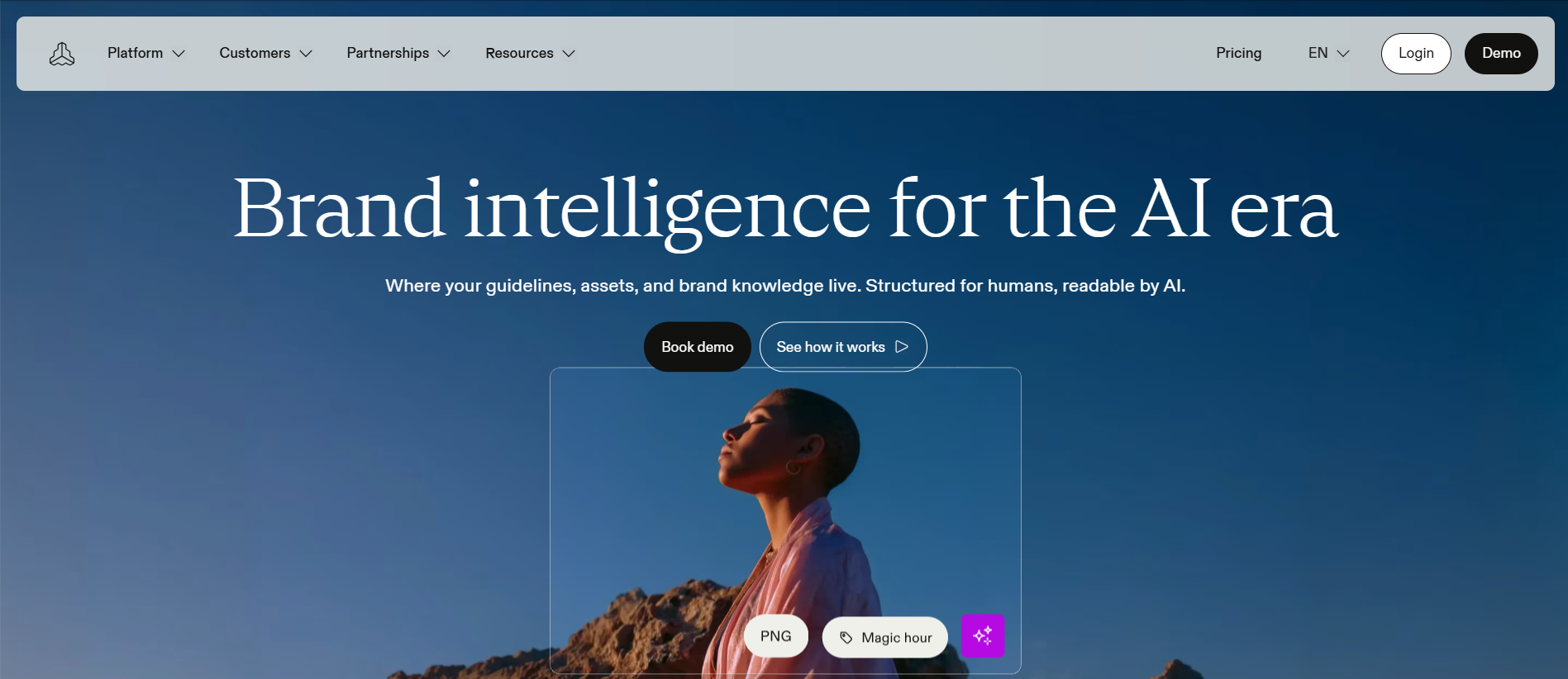
Frontify was created for a different branding challenge that is equally as significant: what happens once your startup has its brand identity, and how can you ensure that everyone including employees, freelancers, and agency partners – has the correct logo, hex codes, and tone of voice?
Digital Brand Guidelines: The Frontify brand guide takes your lifeless, old school PDF file and transforms it into an active, interactive resource, detailing logo guidelines, color schemes, typography, and voice and tone.
Centralised Asset Libraries: The Frontify digital asset management system includes metadata tags, versioning, and asset history to make it easy to locate and use approved assets.
Brand Governance: User roles and permissions let administrators control exactly who can view, edit, or download specific brand assets useful once a startup starts working with external agencies or contractors.
Team Access and Collaboration: The portals are configurable and can be either used internally or externally so that partners and vendors can have access to the authorized material without having to exchange emails.
Pros
- Turns brand guidelines into a living, always-current resource
- Strong governance and permissions for multi-partner brand access
- Reduces the “wrong logo file” problem as teams and vendors grow
- Well-regarded interface for a category that’s often clunky
Cons
- Meaningfully more expensive than Canva, Figma, or Looka
- Overkill for a very early-stage startup with a tiny asset library
- Some users report a learning curve for advanced configuration
- Performance can slow with very large asset libraries
Pricing:
- Frontify: Custom pricing based on monthly active users (MAU)
- Free plan: Not publicly listed
- Pricing: Contact sales for a tailored quote
A Closer Look at Startup Branding Costs
Free plans from apps like Canva, Figma, Adobe Express, and Looka will help in meeting the basic requirements for logo design for early-stage startups. There could be quite a variation in terms of costs of logos designed through various means with AI designs helping to reduce cost and time compared to freelance or professional designing firms.
Advanced capabilities such as team collaboration, brand management, and asset management become increasingly important as more people are involved in managing brand assets. In small teams, beginning with basic functionalities and upgrading as needs increase can be cost effective.
Creating a Repeatable Brand Design Workflow
Begin by identifying your identity through designing a logo, color scheme, and fonts. Use design elements- use a collection of components and Brand Kit to be consistent for your future designs. A website design agency can also help apply these brand elements consistently across your website and other digital touchpoints. Use templates for recurring content such as social media content, presentation slides, and one-pagers.
Create guidelines for your brand regarding logo use, colors, and tone early on before your brand expands. Lastly, make sure that you have an organized file or system containing all the approved logos and templates of your brand.
Where AI Fits Into Startup Branding in 2026
AI-based graphic design tools can aid in speeding up the design process through the development of ideas for logos, images, and layout designs. They can further allow creating different marketing versions of one approved design and automation of activities such as resizing, background elimination, and basic editing. Brand Kits powered by AI can facilitate the use of colors and fonts previously saved into them. Nevertheless, an AI design still requires human verification for such aspects as readability, brand fit, uniqueness, and quality of the product.
Design Mistakes That Can Make a Startup Look Unprofessional
It is also evident that the start-up lacks professionalism because of inconsistency in terms of visuals. Overuse of varied fonts, colors, and changing layouts might make it difficult to recognize the brand. Using unedited templates might give the brand a general look. Poor usage of the logo through stretching or poor choice of background may decrease its visual quality. Inconsistent brand elements may make the team use old and obsolete material. Frequent changes of the visual identity may cause the brand to lack recognition.
Building a Lean Design Stack as Your Startup Grows
Start with essential design capabilities using a single tool like Canva or Figma. Add specialist platforms such as Looka or Frontify only when specific needs arise. Connect marketing and product workflows by using the same colors, fonts, and design principles across both. Create shared brand resources through one organised folder or digital asset management system. In order to grow your startup, you will need to assess your design tooling from time to time and get rid of those tools that have the same capabilities.
Final Takeaway
Not one specific tool can be used at all phases of branding for a startup; each startup will need its own combination of tools, depending on the nature of the product and the size of the team working on it. Most startups can use tools such as Canva and Looka to get started. As soon as your brand needs to live inside a real product interface, Figma becomes essential. Once more people employees, freelancers, or partners are touching your brand assets, a governance layer like Frontify keeps everything consistent. Build the stack in that order, and only add a new tool when the one you have is clearly no longer enough.
Frequently Asked Questions
1. Is Canva good enough for startup branding?
Yes. Canva is a good tool for initial branding, social media and presentation work. Complex product design may require Figma.
2. Is Figma suitable for small startup teams?
Yes. The collaborative tools that come with the program are suitable for smaller teams of people, particularly teams designing digital products.
3. What is the easiest branding tool for non-designers?
Canva works well for continuous content creation, whereas Looka is helpful in logo design and simple branding kits.
4. Can AI tools create a complete startup brand identity?
AI tools can create a strong starting point, but manual refinement helps make the identity more distinctive.
5. How much should a startup spend on branding tools?
Many startups can begin with free plans or spend around $0–$30 per month on essential tools.