 Mayur Bhatasana
AI video generation has come a long way in a year. What used to be obvious AI has become indistinguishably real – frame-by-frame realistic lighting, human-like movement, and even AI synthesized voices. But with a dozen models coming out within a few weeks of each other (Seedance 2.0, Kling 3.0, Veo 3.1, Sora 2 and more), it’s still not easy to tell which is the right AI tool for your needs.
This article covers the best AI video generators in 2026, what they’re actually good for, and which one makes the most sense for your use case – from cinematic storytelling to lightning-fast social clips and talking avatar marketing videos.
Top 3 Picks at a Glance
| AI Video Generator | Best For |
| OpenAI Sora 2 | Storytelling and overall visual quality |
| Runway Gen-4.5 | Professional video production and editing |
| Google Veo 3.1 | Dialogue heavy videos and native audio |
What to Look for in an AI Video Generator
When choosing an AI video generator, it is important to evaluate the video quality in terms of resolution, faces, hands, text, and visual artefacts. The motion and realism aspects determine how well people, things, and physics are represented in the generated videos. Prompt accuracy is important when generating videos that are in line with the prompt provided. Adding narration can further improve the quality and accessibility of AI-generated videos, and a text to speech maker can turn written scripts into spoken audio for the final video.
Camera and editing controls features are important too, just like audio and lip-sync, as well as generation speed, while the best AI image generators can also support visual creation workflows. Fast processing can make the overall video creation experience smoother, especially when users need to generate and review multiple versions. Low inference latency can also improve the responsiveness of AI video generation, reducing the time users wait for results. Lastly, it is important to assess pricing and usage limits on the platforms because most of the platforms operate using credits/tokens.
Compared Best AI Video Generators in 2026
| Tool | Best For | Key Features | Free Plan/Trial | Starting Price |
| Magic Hour | Extending existing video clips | AI video extension, seamless continuation, | Free plan with limited usage | $19/month (Creator) |
| Seedance 2.0 | Complex motion & action | Multi-shot scenes, native audio, 12 reference inputs | Free daily credits on Dreamina | ~$18/month (Dreamina Standard) |
| Kling 3.0 | Cinematic realism | 4K output, legible on-screen text, multi-shot consistency | 66 daily credits (free) | $6.99/month (Standard) |
| Google Veo 3.1 | Dialogue & marketing videos | Native audio, physics accuracy, 1080p+ output | 50 daily Flow credits | $19.99/month (Google AI Pro) |
| OpenAI Sora 2 | Storytelling & visual quality | Synced dialogue, cameo feature, up to 25-second clips | Via ChatGPT Plus only | $20/month (ChatGPT Plus) |
| Runway Gen-4.5 | Professional video production | Multi-tool suite, lip sync, video-to-video, 16-bit HDR | 125 one-time credits | $12/month (Standard, annual) |
| HeyGen | AI avatars & marketing videos | 700+ stock avatars, voice cloning, 175+ languages | 3 videos/month (watermarked) | $29/month (Creator) |
| Luma Ray 3.2 | Cinematic shots | Strong physics, character consistency, HDR video | Limited draft-quality credits | $30/month (Plus) |
1. Magic Hour – Best for Extending Existing Videos
Rating: 4.5/5
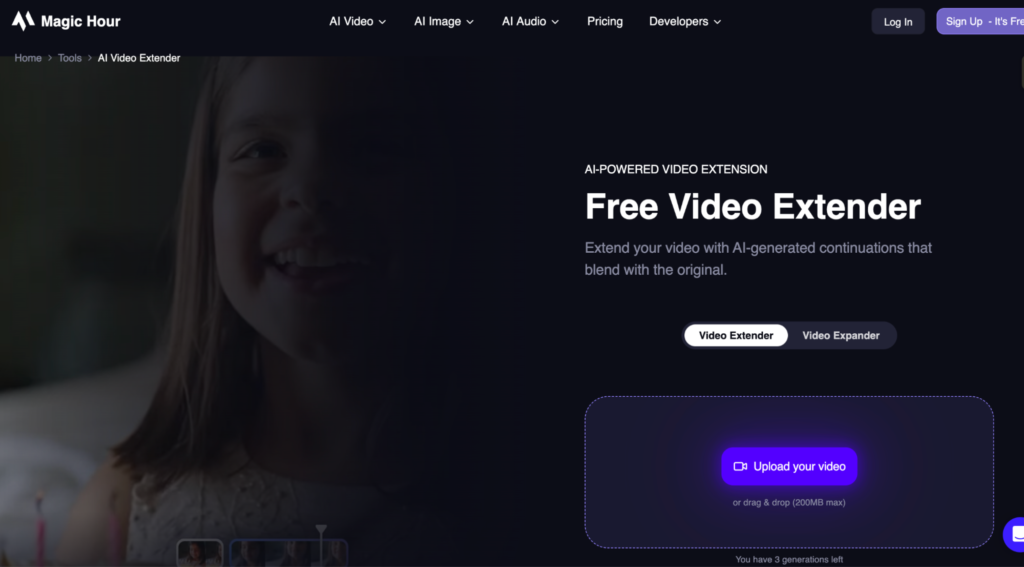
Magic Hour is an AI-powered video tool designed to extend existing footage while maintaining visual continuity. Its video extender AI makes it easier to continue a clip beyond its original ending, which can be useful when you need more time for a scene without manually recreating additional footage.
Key Features:
- AI-powered video extension
- Extends existing video clips
- Maintains visual continuity between frames
- Browser-based workflow
- Useful for creative and social media content
Pros:
- Simple video extension workflow
- Helps continue short clips naturally
- Reduces the need for manual editing
- Useful for social media and creative projects
Cons:
- Results can vary depending on the source footage
- Complex scenes may produce visual inconsistencies
- Longer extensions may require additional generations
- Advanced editing controls are limited compared with professional video editors
Pricing
- Free: $0/month — limited usage for trying Magic Hour’s AI tools
- Creator: $19/month — additional credits and expanded capabilities
- Pro: $39/month — higher usage limits and more generation capacity
- Business: $99/month — designed for higher-volume workflows
2. Seedance 2.0 – Best for Complex Motion and Action
Rating: 4.5/5
Seedance 2.0 is ByteDance’s AI video model that caters to intricate scenarios with natural motions and multi-shots. It allows the use of text, images, audio, and video input to create a story with consistent characters and styles. The AI video model is available on Dreamina, which makes it relevant for action-packed and visually intense videos.
Key Features:
- Multi-shot generation
- Native audio and lip sync
- Up to 12 reference files
- Fast video generation
Pros:
- Excellent for complex motion
- Fast generation speed
- Strong character consistency
- Native audio generation
Cons:
- Some background artefacts
- Can produce plastic-looking details
- English access is still developing
- Platform availability can be limiting
Pricing
- Starter: $13/seat/month — 4,000 credits
- Plus: $27/seat/month — 12,000 credits
- Pro: $44/seat/month — 24,000 credits
- Wonder: $175/seat/month
3. Kling AI 3.0 – Best for Cinematic Realism
Rating: 4.4/5
Kling AI 3.0 is a highly developed video creation AI that focuses on realism in visuals and realistic movement in videos. This AI uses text, images, audio, and video data inputs, providing versatility for various creative processes.
The multishot feature of Kling AI assists in creating consistent characters throughout the scenes. Kling AI is highly suited for marketing campaigns, e-commerce videos, product demonstrations, and films requiring realistic movement and readable text.
Key Features:
- 4K video output
- Multi-shot storytelling
- Strong text rendering
- Multiple quality tiers
Pros:
- Excellent visual realism
- Strong text generation
- Good character consistency
- Flexible pricing tiers
Cons:
- Higher tiers can be expensive
- Requires precise prompting
- Credits can run out quickly
- Some features need iteration
Pricing
- Standard Package 1: $700 — 5,000 units
- Standard Package 2: $2,100 — 15,000 units
- Standard Package 3: $3,780 — 30,000 units
- Standard Package 4: $5,670 — 45,000 units
- Standard Package 5: $7,? — 60,000 units
4. Google Veo 3.1 — Best for Dialogue and Marketing Videos
Rating: 4.6/5
Google Veo 3.1 is the title of a cutting edge video synthesis AI that was developed by Google DeepMind, whose purpose is to create visual appearance, motion, physics, and sound synchronisation. The technology allows one to create not only video but also dialogue, ambient sound, and sound effects at the same time, which makes it possible to create immersive content. It can be used for marketing videos, demo videos, social media videos, and film projects. It works in collaboration with Gemini and AI Studio.
Key Features:
- Native audio generation
- Synchronized dialogue
- Realistic lighting and physics
- Gemini and API integration
Pros:
- Excellent native audio
- Strong visual realism
- Good dialogue synchronisation
- Multiple access options
Cons:
- API usage can become costly
- Credits are shared across tools
- Heavy use consumes credits quickly
- Higher-quality generations cost more
Pricing:
The price for the Google Veo 3.1 model is not available in the official Google DeepMind Veo page. The pricing can depend on the particular Google product/API through which it will be accessed. 4. OpenAI Sora 2 Best for Storytelling and Visual Quality
5. OpenAI Sora 2 – Best for Storytelling and Visual Quality
Rating: 4.5/5
OpenAI Sora 2 is the name of the cutting-edge video generation model of OpenAI that features realism, storylines, and coherent motion. Text-to-video, image-to-video, as well as synced dialogue and sound generation are possible with Sora 2. OpenAI Sora is perfect for narrative videos and visual storytelling.
Key Features:
- Up to 25-second clips
- Synchronized audio
- Cameo character feature
- Text and image-to-video
Pros:
- Excellent storytelling quality
- Strong physics and motion
- High visual consistency
- Built-in audio generation
Cons:
- No free consumer tier
- Subscription required for access
- Generations can become expensive
- Longer projects need more iterations
Pricing:
OpenAI has various pricing structures based on the product being used. ChatGPT and API services have their pricing plans, but there are also separate pricing plans for individual and commercial clients. 5. Runway Gen-4.5 — Best for Professional Video Creation
6. Runway Gen-4.5 – Best for Professional Video Creation
Rating: 4.3/5
Runway Gen-4.5 is an AI video creation tool intended for professionals who want to create video content. The platform allows users to engage in operations such as text-to-video, image-to-video, video-to-video, lip sync, and editing. This means that the application integrates the process of video editing and creation into one place, allowing its users more control. Runway can be used for making videos for marketing, social media, products, and other projects that require video editing software for content creators.
Key Features:
- Text and image-to-video
- Video-to-video editing
- Lip sync
- Collaborative workspace
Pros:
- Complete creative toolkit
- Strong editing capabilities
- Good for professional workflows
- Supports team collaboration
Cons:
- Limited credits on lower plans
- Longer projects need manual work
- Advanced features cost more
- Character consistency can vary
Pricing
- Free: $0/month
- Standard: $12/month
- Pro: $28/month
- Max: $76/month
7. HeyGen – Best for AI Avatar and Marketing Videos
Rating: 4.8/5
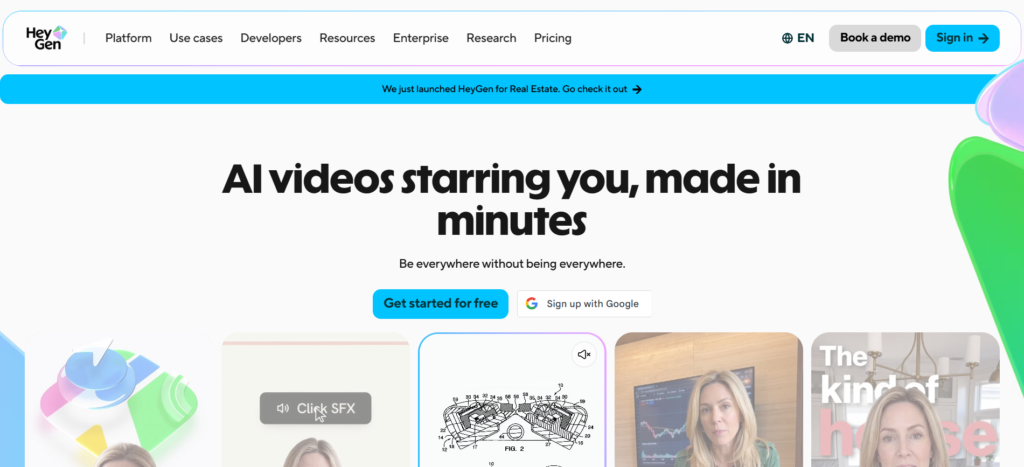
HeyGen is a platform for making videos using AI that focuses on digital avatars, talking heads, and corporate videos. This platform provides avatars that look real, voice duplication technology, lip-synced translations, and multilingual video creation. HeyGen is beneficial in marketing, sales, training, and corporate communication, and it allows teams to create video content with a professional style without having to shoot any videos in the old-fashioned way.
Key Features:
- AI avatars
- Voice cloning
- 175+ language support
- Video translation
Pros:
- Realistic AI avatars
- Excellent lip sync
- Strong multilingual support
- Fast video production
Cons:
- Credit system can be complex
- Premium features use more credits
- API pricing is separate
- Less suited to cinematic videos
Pricing
- Free: $0/month
- Creator: $29/month
- Pro: $49/month
8. Luma Ray 3.2 – Best for Cinematic Shots
Rating: 4.4/5

Luma Ray 3.2 is an AI video generation tool that focuses on cinematic quality visuals, physics based realism, and camera movement. It generates high resolution scenes featuring consistent characters, realistic lighting, and expressive animation. In addition, Luma AI enables multi-model generation capabilities. This means that it can be used by filmmakers, marketers, and content creators, among others who wish to generate visually compelling AI videos.
Key Features:
- Realistic camera movement
- Strong physics
- Character consistency
- HDR video output
Pros:
- Excellent cinematic quality
- Realistic motion and physics
- Strong character consistency
- Multi-model flexibility
Cons:
- Limited free generation quality
- Watermarks on free outputs
- Credit costs can be unpredictable
- Higher plans are expensive
Pricing
- Plus: $30/month — 10,000 credits
- Pro: $90/month — 40,000 credits
- Ultra: $300/month
AI Video Generators Compared: Which One Should You Choose?
However, there is no particular AI video generator that would be the most suitable tool for all purposes because every software has its pros and cons. Kling 3.0 and Luma Ray 3.2 should be used when realism of videos, believable physics, realistic human movements, and realistic camera techniques and lighting effects are required. OpenAI Sora 2 will suit best for telling stories due to coherent narratives and character consistency across multiple scenes.
Marketing-wise, Google Veo 3.1 is recommended for video ads that require dialogue, whereas HeyGen is great for AI avatars and spokesperson videos. Runway Gen-4.5 is the most useful for editing and professional use.
Are AI Video Generators Ready for Professional Use?
Video quality: The best of them can now create videos that seem to be professionally filmed for some seconds, even though long videos will always have inconsistencies, making video content management systems useful for organising and handling generated video content.
Consistency: Consistency is the main challenge in AI video generation – it’s hard to keep the same character, lighting, and style in many shots. Some models such as Kling 3.0 and Seedance 2.0 can do that, but it’s usually required to correct them manually for an entire project.
Editing requirements: All of these applications do not remove the requirement of editing. The stitching of scenes, pacing, and the removal of any artefacts can almost always necessitate editing in the traditional sense, even when using the best AI video generators.
Copyright and commercial usage: Commercial rights to use the videos depend on the platform and plan used, and while some platforms’ free plans explicitly state that no commercial use is permitted, other additional legal considerations may exist, particularly where the video depicts actual people or characters from copyrighted sources.
Human involvement: The common thread throughout all platforms is the notion that AI video functions best as an initial draft. It remains vital that a human editor evaluates the video for its continuity, brand safety, and veracity before posting.
Conclusion
The choice of an AI video creator in 2026 will be dependent on your goals and budget. Seedance 2.0 can be used for complicated motion creation, and Kling 3.0 and Luma Ray 3.2 can create cinematic videos. Sora 2 will work better in narrative videos, while Veo 3.1 can be used for conversational marketing videos.
Runway Gen-4.5 can help you do professional editing, and HeyGen is the best AI avatar. You can choose the software by comparing their qualities, prices, number of generations per day, and iteration costs.
FAQs
1. What is the best AI video generator in 2026?
There is no absolute winner Seedance 2.0 dominates when it comes to action and motion, Kling 3.0 and Luma Ray 3.2 dominate with respect to cinematic realism, Sora 2 dominates in terms of storytelling, and HeyGen wins when it comes to AI avatars.
2. Which AI video generator produces the most realistic videos?
Kling 3.0 and Luma Ray 3.2 are viewed as the most realistic options when it comes to physics and human movement as well as lighting, followed closely by Seedance 2.0 for its action sequences.
3. What is the best AI video generator for cinematic videos?
The most cinematic features in Luma Ray 3.2 and Kling 3.0 include realistic physics and consistent characters between shots.
4. Which AI video generator is best for marketing?
Veo 3.1 from Google excels at creating dialogue-based advertisements due to its native sound capabilities. On the other hand, HeyGen is the best choice in case you want to create spokesperson and avatar-based marketing videos.
5. Are AI-generated videos free to use commercially?
It depends on both the platform as well as the chosen subscription model. The free model usually limits commercial use and comes with a watermark, whereas the paid model allows for commercial use.